How to Use AI to Turn Voice Notes into Professional Operations Updates
Turn quick voice notes into clear operations updates. AI can help managers capture what happened, what was done, and what still needs follow-up—without slowing down the workday.

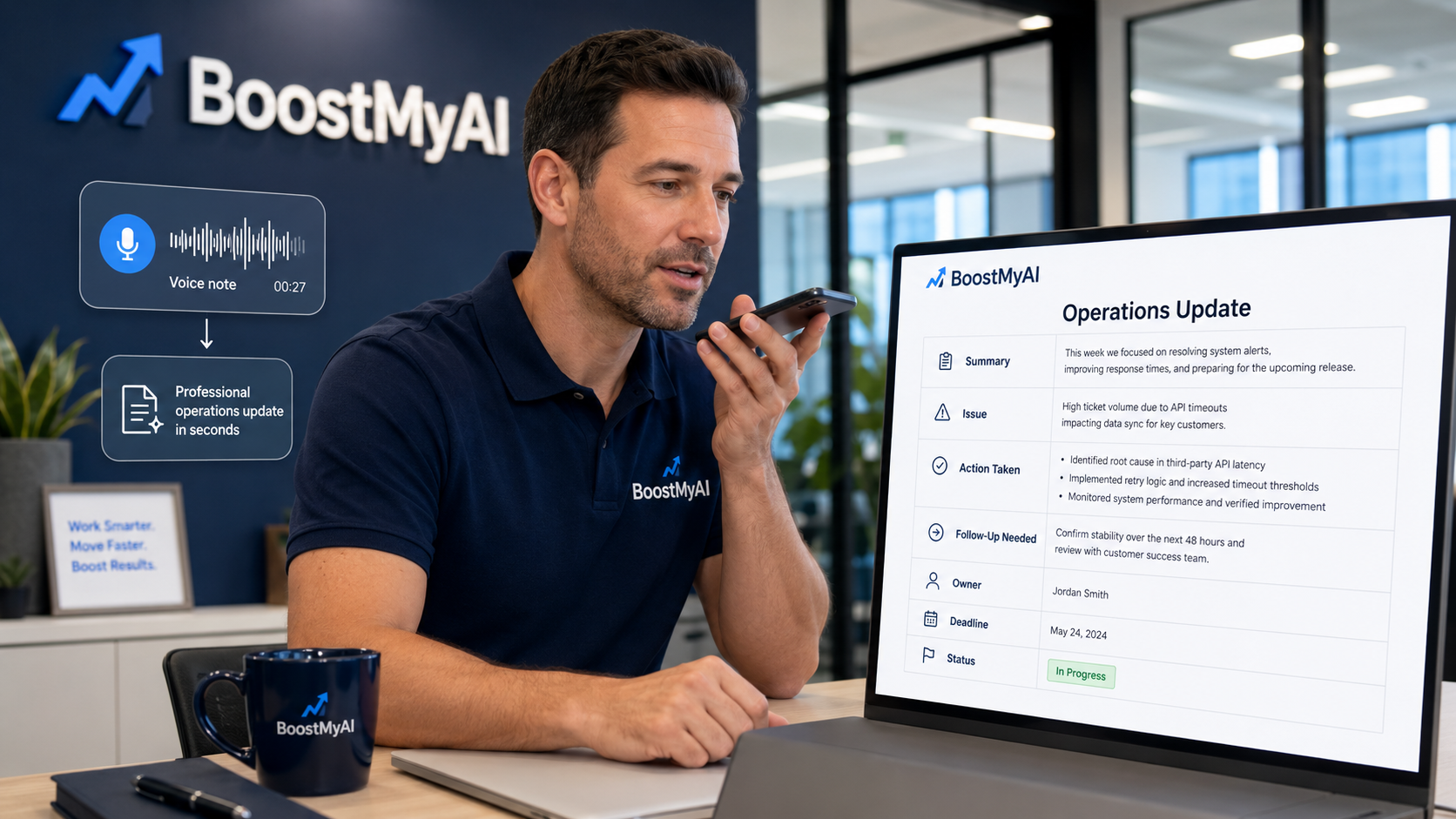
Most operations managers do not have a documentation problem because they are lazy.
They have a documentation problem because they are busy.
They are walking job sites, answering calls, handling employee issues, meeting with customers, checking schedules, solving problems, and putting out fires. By the time they sit down to write a proper update, the details are already fading.
That is where AI can help.
One of the simplest ways to use AI in daily operations is to record a quick voice note and let AI turn it into a clean, professional operations update.
This is practical. It is fast. And it helps businesses keep better records without slowing managers down.
The Problem with Operations Updates
In a perfect world, every manager would write detailed notes after every customer visit, employee conversation, site inspection, vendor issue, or operational problem.
In the real world, that rarely happens.
Most updates end up as short texts, scattered emails, rough notes, or memory. That creates problems later when someone asks:
What happened?
Who was involved?
What was promised?
What still needs to be done?
Was the customer updated?
Did anyone close the loop?
When those answers are not documented, small problems can turn into bigger ones.
The Simple Fix: Talk First, Polish Later
A manager does not need to stop everything and write a formal report.
They can simply record a short voice note right after the event.
For example:
“I met with the customer this morning. They were concerned that the overnight crew is not completing the checklist consistently. I reviewed the checklist with the supervisor and told the customer we would retrain the team by Friday. Need to follow up with the supervisor tomorrow and send the customer an update after training is complete.”
That may not sound polished, but it has the important details.
AI can take that rough voice note and turn it into a professional update.
Step 1: Record the Voice Note Immediately
The best time to document an operational issue is right after it happens.
The note does not need to be perfect. It just needs to capture the facts while they are fresh.
A good voice note should include what happened, who was involved, what action was taken, and what still needs follow-up.
The manager can talk naturally. AI can clean up the wording later.
Step 2: Let AI Organize the Update
Once the voice note is transcribed, AI can turn it into a structured operations update.
A simple prompt could be:
“Turn this voice note into a professional operations update. Include a short summary, key issue, action taken, follow-up needed, responsible person, and deadline. Keep it clear, professional, and suitable to send to leadership or save in a client file.”
That one prompt can turn a rough spoken note into something useful.
Instead of this:
“Talked to client, they were upset about checklist stuff, supervisor needs to fix it, follow up tomorrow.”
AI can produce this:
“Customer expressed concern that the overnight checklist is not being completed consistently. The issue was reviewed with the site supervisor, and retraining will be completed by Friday. Follow-up with the supervisor is needed tomorrow to confirm progress. A customer update should be sent after retraining is completed.”
That is a big difference.
Step 3: Use the Same Format Every Time
The key to making this work is consistency.
Every operations update should follow the same basic format:
Summary. Issue. Action taken. Follow-up needed. Owner. Deadline.
That is enough.
The goal is not to create long reports. The goal is to create clear documentation that anyone can understand later.
When every manager uses the same format, the business becomes easier to manage. Leadership can quickly see what happened, what was done, and what still needs attention.
Step 4: Use It After Common Operations Events
This works especially well after customer visits, employee coaching conversations, schedule issues, inspections, complaints, vendor problems, safety concerns, and maintenance issues.
Any time a manager thinks, “I need to remember this,” that is a good time for a voice note.
The process is simple:
Record the note. Transcribe it. Let AI clean it up. Review it. Save it or send it.
That is not complicated. That is just better follow-through.
Step 5: Keep the Human in Control
AI should not invent facts, make decisions, or send sensitive updates without review.
The manager still owns the message.
AI is there to organize the rough note, improve the wording, and make the update easier to use. The human still confirms accuracy, adjusts tone, and decides who receives it.
That balance matters.
AI handles the polish. People handle the judgment.
Why This Matters
Better operations updates help small businesses avoid confusion.
They also create a stronger record of what actually happened.
That helps with customer service, employee accountability, training, billing questions, internal communication, and future decision-making.
It also saves managers from having to reconstruct events days later from memory.
In operations, memory is not a system.
Documentation is.
Example Voice Note
Here is a rough voice note:
“Stopped by the west location today. The front desk was short-staffed because one employee called out. Sarah covered the phones while Mike handled walk-ins. Customer wait time was longer than normal between 10 and 11. I told Sarah to track the call-off and asked Mike to send me the walk-in count. Need to check tomorrow if coverage is back to normal.”
Example AI-Generated Operations Update
Site visit completed at the west location. The front desk was short-staffed due to an employee call-off. Sarah covered phone calls while Mike assisted walk-in customers. Customer wait times were longer than normal between 10:00 AM and 11:00 AM.
Sarah was asked to document the call-off, and Mike was asked to provide the walk-in count. Follow-up is needed tomorrow to confirm that staffing coverage has returned to normal.
Owner: Site Manager
Follow-Up Date: Tomorrow
Status: Open
This kind of update is clear, useful, and easy to save.
The Bottom Line
Small businesses do not need more paperwork.
They need better ways to capture what is already happening.
AI can help managers turn quick voice notes into professional operations updates that are clear, consistent, and easy to act on.
That means fewer forgotten details, better communication, stronger accountability, and cleaner records.
It is a simple use of AI, but it can make a big difference.
Because in operations, the details matter.
And the details are a lot easier to manage when they are documented.
Contact Us
Want to teach your team how to use AI for better operations updates? Book a 15-minute consult with us, contact us today!