Your Schedule Is Costing You Money: How AI Can Find the Problems Before Payroll Does
AI can review employee schedules for overtime, coverage gaps, short rest periods, uneven workloads, and burnout risks—helping managers fix problems before payroll, call-offs, or customer service issues begin.

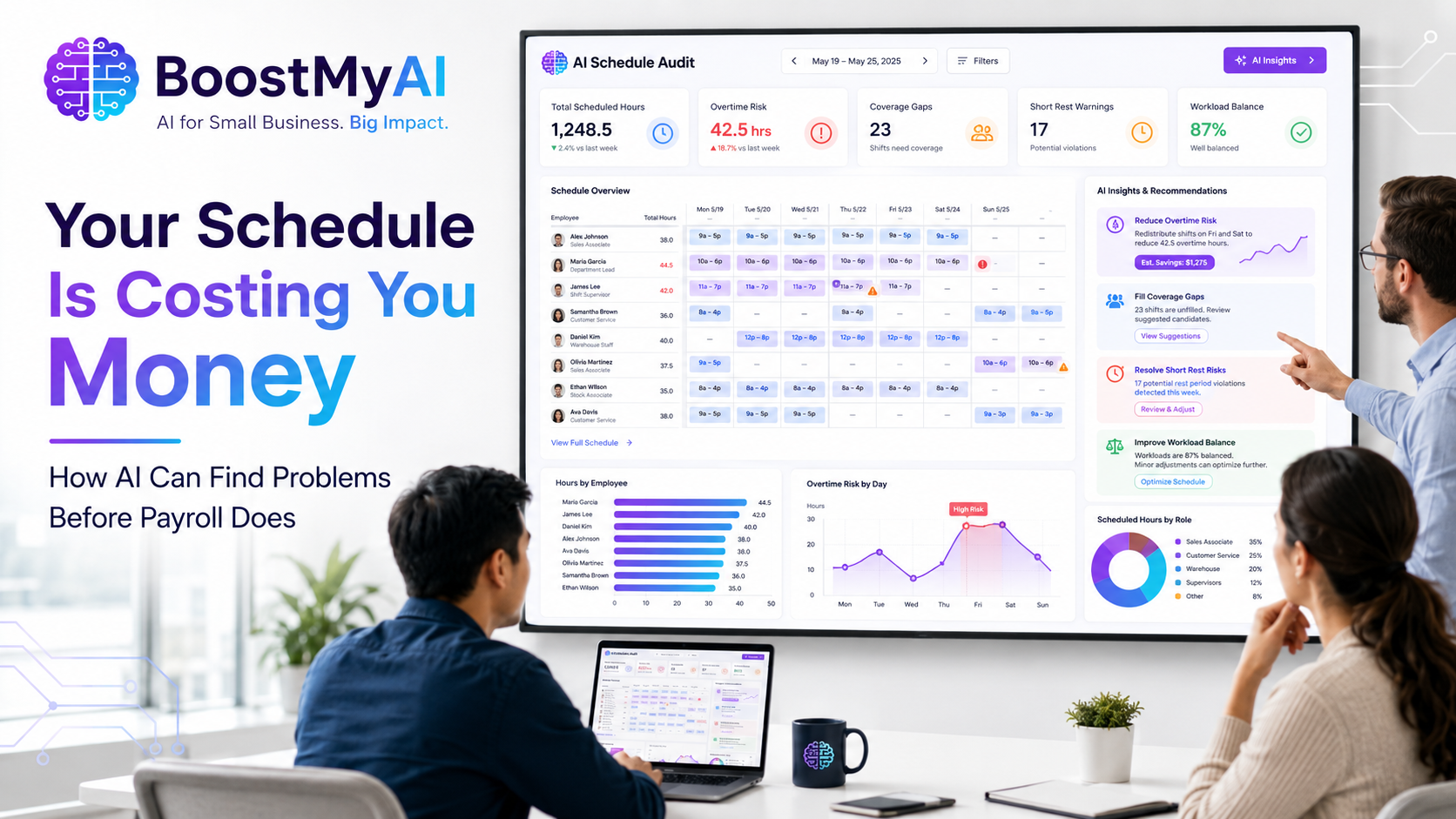
Employee scheduling looks simple until it is not.
A manager fills the open shifts, makes sure the business is covered and sends the schedule to the team. Then the problems begin.
One employee is accidentally scheduled for overtime. Another works late and returns too early the next morning. The strongest employee receives every difficult shift until burnout sets in. A critical position is left uncovered because two overlapping shifts were mistaken for complete coverage.
By the time these problems are discovered, the schedule has already created unnecessary labor costs, employee complaints, call-offs and operational headaches.
Artificial intelligence can help small businesses audit employee schedules before they are published—giving managers another set of eyes on one of the most important parts of daily operations.
Scheduling Problems Are Often Hidden in Plain Sight
Most scheduling mistakes are not caused by laziness or poor intentions. They happen because managers are balancing too many variables at once.
They must consider employee availability, labor budgets, requested days off, required certifications, operating hours, shift overlaps, customer demands and last-minute absences.
A schedule may look fine on a spreadsheet while still containing serious problems.
For example:
- An employee may exceed the company’s weekly hour limit after covering another shift.
- A worker may be scheduled to close one night and return early the next morning.
- Too many hours may be assigned to one employee while another receives too few.
- A site may technically have coverage but lack someone qualified for a required position.
- Multiple employees may be scheduled during a slow period while a busy period remains understaffed.
AI can analyze the entire schedule at once and identify patterns that are easy to miss during a manual review.
Start With the Rules of the Operation
Before AI can audit a schedule effectively, it needs to understand what a good schedule looks like for that particular business.
Every operation has different requirements.
A restaurant may need more employees during lunch and dinner. A security company may require continuous coverage with no gaps. A medical office may need certain licensed personnel present. A service business may schedule workers based on customer appointments and travel time.
Management should define the basic scheduling rules, including:
- Operating and coverage hours
- Minimum staffing requirements
- Maximum preferred weekly hours
- Required time between shifts
- Position or certification requirements
- Approved shift lengths
- Overtime restrictions
- Employee availability
- Requested days off
These rules do not need to be complicated. A simple written list gives AI the context needed to review the schedule properly.
Without clear rules, AI can identify mathematical issues, but it may not understand the operational impact.
Upload the Schedule for Review
The schedule can be provided as a spreadsheet, table or structured text.
Management can then instruct AI to review it against the company’s scheduling requirements.
A useful request might be:
Review this weekly employee schedule. Confirm that every required shift is covered, identify employees scheduled for more than 40 hours, flag anyone receiving less than 12 hours between shifts, calculate total hours by employee and highlight any uneven distribution of work.
AI can organize the results into a clear report instead of forcing the manager to search through every row and column.
The report might identify:
- Coverage gaps
- Overtime exposure
- Short turnaround times
- Double-booked employees
- Excessive consecutive workdays
- Uneven hours
- Missing qualifications
- Unnecessary shift overlaps
The manager can then correct the problems before employees ever see the schedule.
Catch Overtime Before Payroll Does
Overtime is sometimes necessary. Accidental overtime is not.
A manager may schedule an employee for 38 hours and later add a short coverage shift without realizing that the employee’s weekly total has now exceeded the target.
This becomes even harder when schedules are changed throughout the week.
AI can total scheduled hours automatically and identify employees approaching or exceeding the company’s preferred limits.
It can also help managers explore alternatives.
For example, instead of simply reporting that an employee has 44 hours, AI can suggest moving a four-hour shift to another qualified employee who currently has 32 hours.
The final decision remains with management, but the analysis can be completed in seconds.
Identify Dangerous or Unreasonable Turnarounds
A schedule should not be judged only by total hours.
The timing of those hours matters.
An employee who finishes a late shift and returns early the next morning may technically remain under 40 hours while still receiving insufficient rest.
That increases the risk of fatigue, poor performance, tardiness and call-offs.
AI can compare the end of each shift with the beginning of the employee’s next shift and flag short turnaround periods.
This is especially valuable in businesses operating around the clock, where overnight and early-morning shifts can create scheduling conflicts that are easy to overlook.
Managers should establish their own minimum rest expectations and confirm that schedules comply with applicable laws, contracts and company policies.
Find Coverage Gaps and False Coverage
A schedule can appear fully staffed while still leaving the business exposed.
Suppose two employees are scheduled from 8:00 a.m. to 4:00 p.m., but the operation requires coverage until 5:00 p.m. The spreadsheet may look nearly complete, yet the final hour remains uncovered.
Another common issue is false coverage.
There may be someone scheduled during every hour, but the person working does not have the training, license, access level or experience required for the assignment.
AI can compare scheduled employees against position requirements and identify where coverage exists only on paper.
This helps management distinguish between having a body on the schedule and having the right person in the right place.
Watch for Employee Burnout Patterns
Burnout does not always begin with excessive weekly hours.
It can develop through repeated scheduling patterns.
One dependable employee may constantly be assigned weekends, overnight shifts or last-minute coverage because management knows that person will show up.
Another employee may work six or seven consecutive days without technically reaching overtime because the hours cross two payroll weeks.
AI can help identify patterns such as:
- Repeated weekend assignments
- Too many consecutive workdays
- Frequent shift changes
- An employee receiving most of the undesirable shifts
- Excessive reliance on one dependable worker
- Large differences in hours among employees with similar availability
These patterns may not violate a scheduling rule, but they can still damage morale and increase turnover.
Good employees are often lost slowly. They become tired of carrying the schedule, stop volunteering for extra work and eventually leave.
AI can help management see that pattern earlier.
Balance Hours More Fairly
Fair scheduling does not always mean giving everyone the same number of hours.
Some employees want full-time work. Others prefer part-time schedules. Availability, performance and qualifications must also be considered.
However, major differences in scheduled hours should be intentional—not accidental.
AI can calculate weekly totals and compare employees with similar roles and availability. It can highlight where one employee has 48 hours while another qualified employee has 24.
Management can then decide whether the imbalance is justified or whether the schedule should be adjusted.
This creates a more disciplined scheduling process and gives managers better information when employees question their hours.
Test Different Scheduling Scenarios
One of the most valuable uses of AI is comparing different versions of a schedule.
A manager can ask:
- What happens if we limit every employee to 40 hours?
- Can three employees cover this operation without changing the required hours?
- How can we reduce overtime while preserving all shift overlaps?
- What is the most balanced schedule based on employee availability?
- Which shift should be reassigned if one employee calls off?
- Can we reduce labor hours during slower periods without creating a coverage gap?
AI can generate options quickly, but each option must still be reviewed by someone who understands the business.
The lowest-cost schedule is not always the best schedule. Experience, reliability, customer expectations and employee relationships still matter.
Use AI as an Auditor, Not the Final Decision-Maker
AI should support the scheduling process, not take control of it.
It does not automatically know that one employee is still training, another is temporarily restricted from a duty or a customer specifically requested a particular worker.
It may also suggest a mathematically efficient schedule that is unrealistic for the people involved.
Management must review every recommendation.
The best approach is to use AI as a scheduling auditor. Let it handle calculations, identify conflicts and compare options. Let experienced managers make the final decisions.
Technology can find the problem. Leadership must decide how to solve it.
Protect Employee Information
Schedules may contain employee names, phone numbers, availability and other sensitive information.
Businesses should avoid uploading unnecessary personal data into public AI platforms.
Employee identification numbers, medical information, disciplinary records and other confidential details should be removed unless the company is using an approved and properly secured system.
In many cases, employees can be identified by initials or assigned numbers during the analysis.
The goal is to review the schedule—not expose private employee information.
Build a Repeatable Weekly Process
AI schedule auditing works best when it becomes part of the normal scheduling routine.
A simple weekly process might look like this:
- Management creates the first draft.
- AI reviews coverage, hours, rest periods and staffing rules.
- The manager corrects identified problems.
- AI reviews the updated version.
- Management completes a final human review and publishes the schedule.
This process does not need to add hours of work.
In fact, it can save time by reducing corrections, employee complaints and emergency schedule changes after publication.
Better Scheduling Creates Better Operations
An employee schedule is more than a list of names and times.
It determines labor costs, service quality, employee morale and whether the business can deliver what it promised.
Poor schedules create overtime, fatigue, call-offs and customer complaints. Strong schedules create stability.
AI gives small businesses a practical way to review schedules more thoroughly without hiring additional administrative staff or building complicated software.
It can identify problems before payroll processes them, before employees complain and before an uncovered shift becomes an emergency.
The schedule will still require human judgment. But managers no longer have to rely on judgment alone.
How BoostMyAI Can Help
BoostMyAI helps small businesses use artificial intelligence to improve daily operations, reduce repetitive administrative work and make better decisions with the information they already have.
We can help your business develop AI-assisted scheduling reviews, operational checklists, reporting tools and practical workflows designed around the way your company actually operates.
The goal is not to replace the manager.
It is to give the manager better tools.
Contact us today to find out how we can help your business!